Lumenfall
HridaAI also supports image generation through Lumenfall, an AI media gateway that unifies all popular image models on many different providers into an OpenAI-compatible API. Free models are available.
Initial Setup
- Create a free account at lumenfall.ai.
- Generate an API key from your dashboard.
Configuring Image Generation
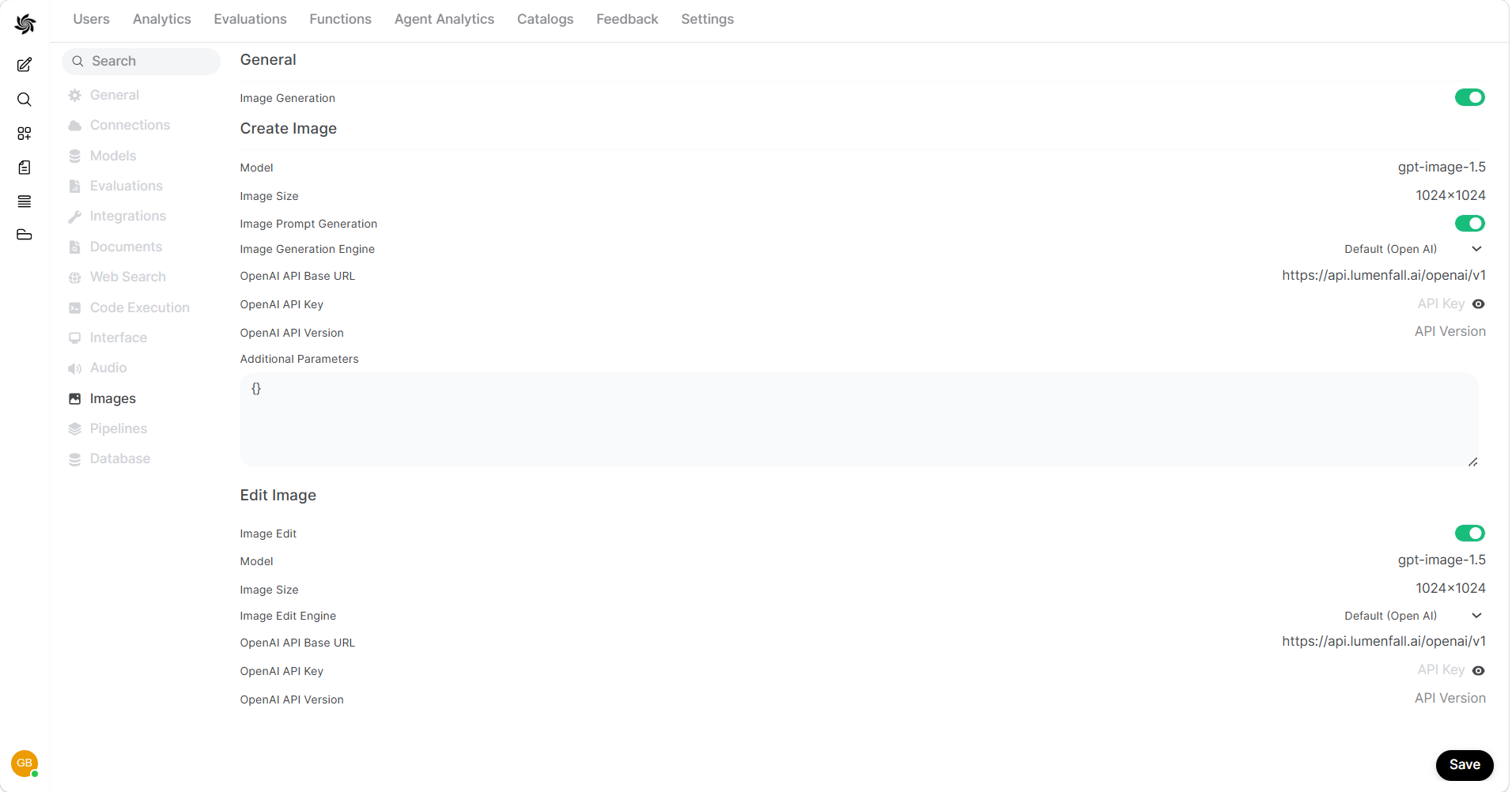
- In HridaAI, navigate to the Admin Panel > Settings > Images menu.
- Set the
Image Generation Enginefield toOpen AI(Lumenfall uses the same syntax as OpenAI). - Change the API endpoint URL to
https://api.lumenfall.ai/openai/v1. - Enter your Lumenfall API key.
- The API version can be left blank.
- Enter the model you wish to use. For example:
gemini-3-pro-image,gpt-image-1.5, orflux.2-max. See all available models at lumenfall.ai/models. - Set the image size (e.g.
1024x1024). Supported sizes depend on the model - if unsure,1024x1024works with most models.
Configuring Image Editing
Lumenfall also supports image editing through the same API:
- On the same Images settings page, scroll to the Edit Image section.
- Toggle Image Edit to on.
- Set the
Image Edit EnginetoOpen AI. - Enter the same API endpoint URL:
https://api.lumenfall.ai/openai/v1. - Enter your Lumenfall API key.
- Choose a model that supports editing (e.g.
gpt-image-1.5).
For more details, see the Lumenfall documentation.