Image Router
HridaAI also supports image generation through the Image Router APIs. Image Router is an open source image generation proxy that unifies most popular models into a single API.
Initial Setup
- Obtain an API key from Image Router.
Configuring HridaAI
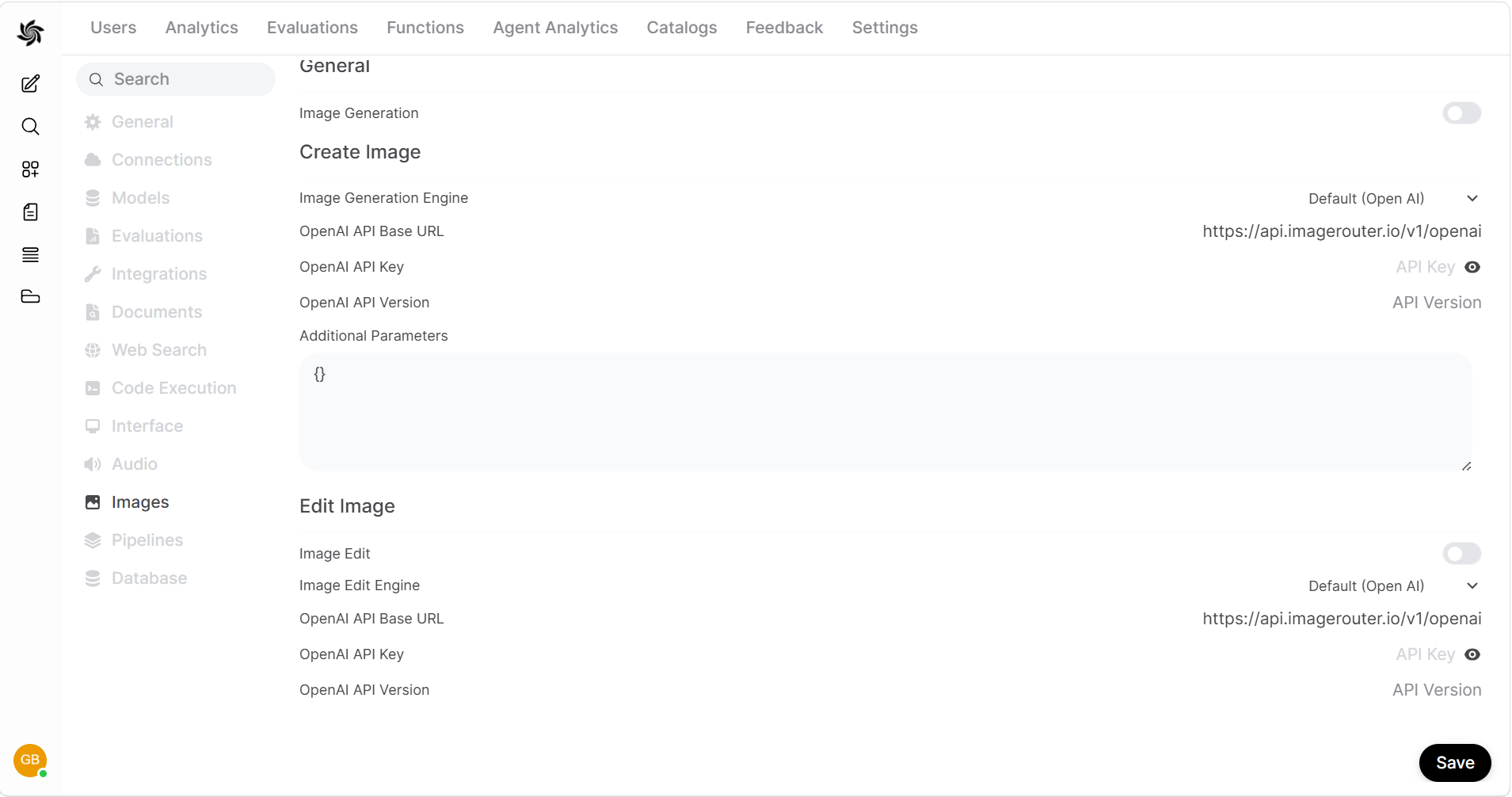
- In HridaAI, navigate to the Admin Panel > Settings > Images menu.
- Set the
Image Generation Enginefield toOpen AI(Image Router uses the same syntax as OpenAI). - Change the API endpoint URL to
https://api.imagerouter.io/v1/openai - Enter your Image Router API key.
- Enter the model you wish to use. Do not use the dropdown to select models, enter the model name instead. For more information, see all models.