Terminal
Give your AI a real computer to work on.
Hrida Terminal connects a real computing environment to Hrida.ai. The AI can write code, execute it, read the output, fix errors, and iterate, all without leaving the chat. It handles files, installs packages, runs servers, and returns results directly to you. Run it in a Docker container for isolation, or bare metal for direct access to your machine.
This is where ideas become working software. Ask a question, get a running script. Describe a website, see it rendered live. Point it at a dataset, get a finished report.
Capabilities
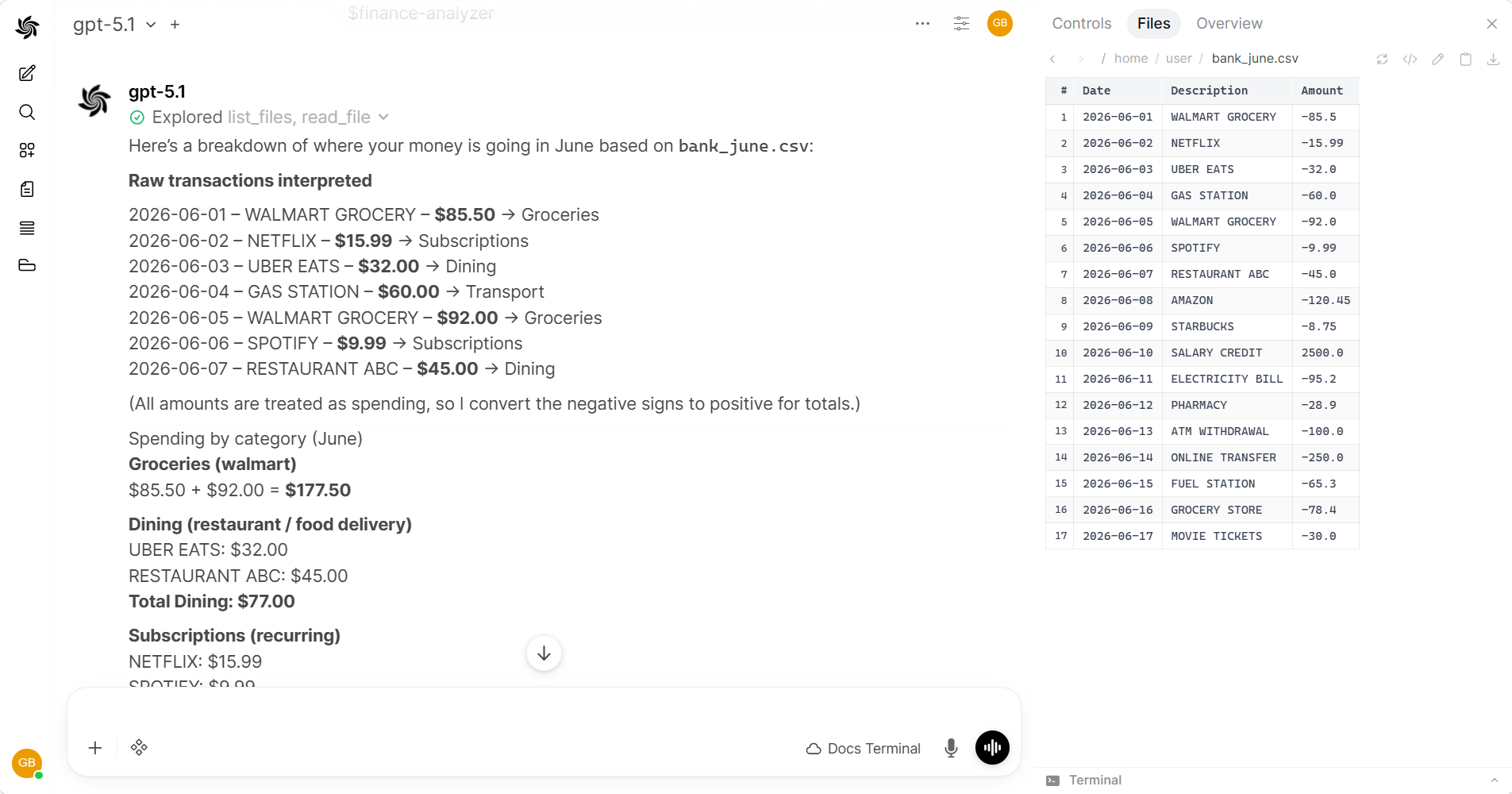
Data analysis and reporting
Upload spreadsheets, CSVs, or databases. The AI reads the data, runs analysis scripts, and generates charts or reports.
Document search and extraction
Point the AI at a folder of PDFs, Word docs, or emails. It reads all of them and returns structured results: summaries, extracted fields, or cross-references.
Web development with live preview
The AI builds HTML/CSS/JS projects, starts a preview server, and renders the result inside Hrida.ai. Iterate by describing changes in chat.
Software development
Clone repos, run test suites, debug failures, refactor code, and work with Git, all through natural language.
File and system automation
Bulk rename, sort, deduplicate, convert, compress, and organize files. Manage disk space, schedule backups, process logs.
Key Features
| 🖥️ Code run | Runs real commands and returns output |
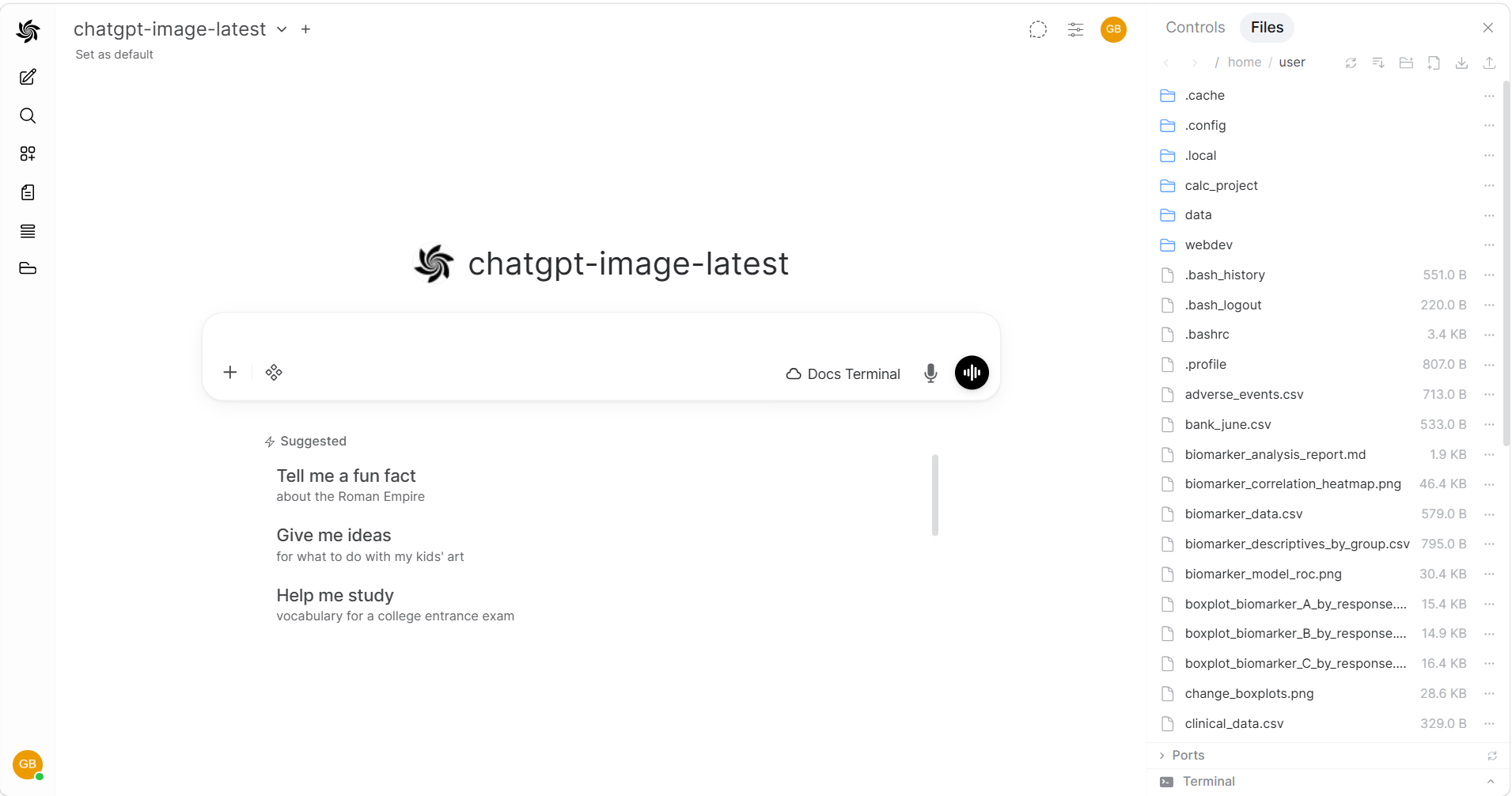
| 📁 File browser | Browse, upload, download, and edit files in the sidebar |
| 📄 Document reading | PDF, Word, Excel, PowerPoint, RTF, EPUB, email |
| 🌐 Website preview | Live preview of web projects inside Hrida.ai |
| 🔒 Isolation optional | Run in a Docker container for sandboxing, or bare metal for full access |
Get Started
Installation → · Connect to Hrida.ai →
Hrida Terminal requires models with native function calling support. Frontier models (GPT-5.4, Claude Sonnet 4.6, Gemini 3.1 Pro) handle complex multi-step tasks well. Smaller models may work for simple commands but can struggle with longer workflows. Enable native function calling on your model.
Use Cases
- Code run — write, run, and debug scripts
- Software development — repos, tests, debugging, refactoring, Git
- Document & data analysis — spreadsheets, PDFs, Word docs, emails
- Web development — build and preview websites
- System automation — file management, backups, batch operations
- Advanced workflows — skills for data reports, research, code review, and more
- File browser — uploading, previewing, editing files